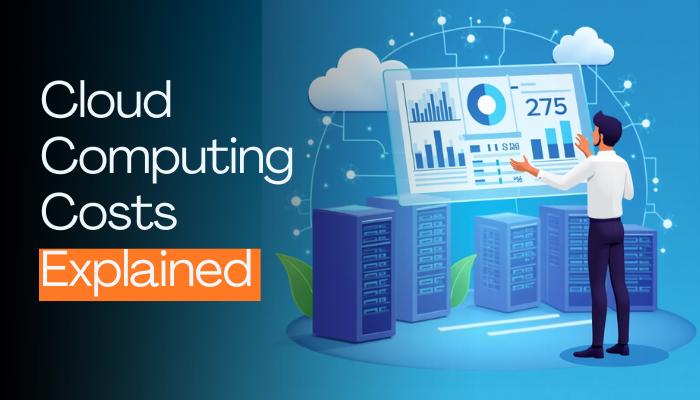
Cloud computing has transformed the way businesses operate, offering flexibility, scalability, and efficiency that traditional on-premises systems often can’t match. Whether you’re a small business owner, a startup founder, or an IT manager at a large corporation, understanding cloud computing costs is essential to making informed decisions. The promise of the cloud—paying only for what you use—sounds appealing, but the reality can feel overwhelming when you dig into pricing models, hidden fees, and unexpected expenses. In this article, we’ll break down everything you need to know about cloud computing costs in a humanized, easy-to-understand way, so you can optimize your budget and rank higher on Google and Bing with this SEO-friendly guide.
What Is Cloud Computing, Anyway?
Before diving into costs, let’s quickly clarify what cloud computing is. Imagine renting a powerful computer—or a whole network of them—over the internet instead of buying and maintaining your own hardware. That’s the cloud in a nutshell. Services like Amazon Web Services (AWS), Microsoft Azure, and Google Cloud Platform (GCP) provide everything from storage and processing power to advanced tools like artificial intelligence and machine learning, all accessible with a few clicks.
The beauty of cloud computing lies in its flexibility. Need more power during a busy season? Scale up. Want to cut costs when demand drops? Scale down. But with this flexibility comes a pricing structure that can feel like a puzzle. Let’s unpack it step by step.
The Basics of Cloud Computing Costs
Cloud providers typically operate on a pay-as-you-go model, meaning you’re billed based on usage. This is a stark contrast to traditional IT, where you’d invest heavily upfront in servers and software licenses. However, “pay-as-you-go” doesn’t mean it’s always cheap or straightforward. Here are the main factors that influence cloud computing costs:
- Compute Resources
This refers to the virtual machines (VMs) or processing power you rent. Costs depend on the size of the VM (e.g., CPU and RAM), how long it runs, and whether you opt for on-demand or reserved instances. For example, AWS offers “EC2” instances, and pricing varies based on whether you need a lightweight server for a small website or a beefy one for data crunching. - Storage
Storing files, databases, or backups in the cloud comes with a price tag. You’ll pay based on the amount of data (e.g., gigabytes or terabytes) and the type of storage—fast SSDs cost more than slower archival options. Don’t forget about retrieval fees if you’re pulling data out of cold storage! - Data Transfer
Moving data in and out of the cloud can rack up costs. Most providers don’t charge for data coming in (ingress), but transferring data out (egress) to users or other regions often incurs fees. For instance, streaming a video to thousands of customers could spike your bill. - Additional Services
Beyond the basics, cloud platforms offer extras like AI tools, content delivery networks (CDNs), or security features. These add-ons can enhance your operations but also increase your expenses. - Support and Management
Need help troubleshooting? Basic support is often free, but premium plans with 24/7 access to experts come at a cost.
Why Cloud Costs Can Sneak Up on You
Here’s where things get tricky. The cloud’s flexibility is a double-edged sword. While it’s easy to spin up a new server or store more data, forgetting to turn off unused resources can lead to “bill shock.” Picture this: You launch a test server for a project, finish the work, and move on—except that server keeps running (and costing you) for months because no one shut it down. It’s like leaving the lights on in a house you don’t live in anymore.
Another surprise can come from auto-scaling. This feature automatically adds resources during traffic spikes—great for keeping your website online, but it can inflate costs if not monitored. Then there’s the complexity of pricing tiers. With hundreds of options and cryptic terms like “vCPUs” or “IOPS,” it’s no wonder businesses sometimes overspend without realizing it.
How to Estimate Your Cloud Computing Costs
So, how do you get a handle on what you’ll actually pay? Most providers offer cost calculators—AWS has its Pricing Calculator, Azure has a similar tool, and GCP provides a cost estimator. These let you input your expected usage (e.g., storage needs, compute hours) and spit out a rough estimate. Here’s a simple approach to start:
- Assess Your Needs: Are you hosting a website, running an app, or storing backups? Define your workload to avoid overpaying for power you don’t need.
- Start Small: Begin with a basic plan and scale as you grow. Many providers offer free tiers—AWS Free Tier, for example, includes 750 hours of compute time monthly for a year.
- Monitor Usage: Use dashboards (like AWS CloudWatch) to track spending in real time and set alerts for when you’re nearing your budget.
For a small business hosting a website, costs might range from $10 to $100 monthly. A mid-sized company with complex apps could see bills of $1,000 or more. It all depends on your setup.
Tips to Optimize Cloud Costs
The good news? You can keep cloud computing costs in check with a few smart strategies:
- Right-Size Your Resources
Don’t rent a monster truck when a sedan will do. Regularly review your VMs and storage to ensure you’re not over-provisioning. - Use Reserved Instances
If you know you’ll need a server long-term, commit to a one- or three-year plan. AWS, Azure, and GCP offer discounts (up to 70%) for reserved instances compared to on-demand pricing. - Leverage Spot Instances
For non-critical tasks, providers like AWS offer “spot instances”—unused capacity at steep discounts. Just be ready for interruptions. - Turn Off Idle Resources
Schedule non-essential servers to shut down overnight or during low-traffic periods. - Minimize Data Transfers
Use CDNs to cache content closer to users, reducing egress fees. - Take Advantage of Free Credits
New users often get $100–$300 in credits from providers to test the waters.
Hidden Benefits That Offset Costs
While cloud computing has its expenses, it’s worth noting the savings it brings. No upfront hardware purchases, no maintenance crews, and no need for a massive IT closet. Plus, the ability to scale instantly can help you seize opportunities—like launching a product during a viral moment—without breaking the bank on permanent infrastructure.
Common Cloud Providers and Their Pricing
- AWS: The giant in the room, known for flexibility but a steep learning curve. Expect $0.01–$0.10 per hour for basic compute, with storage at $0.023 per GB monthly.
- Microsoft Azure: Great for businesses already using Microsoft tools. Pricing is similar to AWS, with free tiers for small workloads.
- Google Cloud Platform: Competitive pricing and strong AI offerings. Compute starts at $0.01 per hour, and storage is around $0.020 per GB.
Each has unique strengths, so your choice depends on your needs—and budget.
Final Thoughts on Cloud Computing Costs
Cloud computing costs don’t have to be a mystery. By understanding the key components—compute, storage, data transfer, and extras—you can budget effectively and avoid surprises. Start small, monitor closely, and optimize as you go. Whether you’re a solo entrepreneur or a growing enterprise, the cloud offers incredible value when managed wisely.
Ready to dive in? Use a cost calculator, snag some free credits, and experiment. The cloud isn’t just a tech trend—it’s a tool to help your business thrive. And with this SEO-friendly guide, you’re now equipped to navigate it like a pro, boosting your site’s rank on Google and Bing while keeping your wallet happy.